
OpenSandbox Kubernetes Controller
OpenSandbox Kubernetes Controller is a Kubernetes operator that manages sandbox environments through custom resources. It provides automated sandbox lifecycle management, resource pooling for fast provisioning, batch sandbox creation, and optional task orchestration capabilities in Kubernetes clusters.
Key Features
- Flexible Sandbox Creation: Choose between pooled and non-pooled sandbox creation modes
- Batch and Individual Delivery: Support both single sandbox (for real-user interactions) and batch sandbox delivery (for high-throughput agentic-RL scenarios)
- Optional Task Scheduling: Integrated task orchestration with optional shard task templates for heterogeneous task distribution and customized sandbox delivery (e.g., process injection)
- Resource Pooling: Maintain pre-warmed resource pools for rapid sandbox provisioning
- Pause and Resume: Persist sandbox filesystem state via rootfs snapshots, releasing cluster resources between sessions
- Comprehensive Monitoring: Real-time status tracking of sandboxes and tasks
Features
Batch Sandbox Management
The BatchSandbox custom resource allows you to create and manage multiple identical sandbox environments. Key capabilities include:
- Flexible Creation Modes: Support both pooled (using resource pools) and non-pooled sandbox creation
- Single and Batch Delivery: Create single sandboxes (replicas=1) or batches of sandboxes (replicas=N) as needed
- Scalable Replica Management: Easily control the number of sandbox instances through replica configuration
- Automatic Expiration: Set TTL (time-to-live) for automatic cleanup of expired sandboxes
- Optional Task Scheduling: Built-in task execution engine with support for optional task templates
- Detailed Status Reporting: Comprehensive metrics on replicas, allocations, and task states
Resource Pooling
The Pool custom resource maintains a pool of pre-warmed compute resources to enable rapid sandbox provisioning:
- Configurable buffer sizes (minimum and maximum) to balance resource availability and cost
- Pool capacity limits to control overall resource consumption
- Automatic resource allocation and deallocation based on demand
- Real-time status monitoring showing total, allocated, and available resources
Pod Eviction
Pool supports graceful pod eviction for scenarios like node maintenance or resource reclamation:
How it works:
- Users label a pod with
pool.opensandbox.io/evictto request eviction - The controller skips pods already allocated to BatchSandbox (protecting in-use workloads)
- Idle pods are deleted, triggering the pool to replenish capacity
- Pods marked for eviction are excluded from new allocations
Custom eviction behavior: You can implement custom eviction strategies by:
- Setting
pool.opensandbox.io/eviction-handlerlabel on the Pool to select your handler - Implementing the
EvictionHandlerinterface withNeedsEviction()andEvict()methods - Registering your handler in the factory function
Task Orchestration
Integrated task management system that executes custom workloads within sandboxes:
- Optional Execution: Task scheduling is completely optional - sandboxes can be created without tasks
- Process-Based Tasks: Support for process-based tasks that execute within the sandbox environment
- Heterogeneous Task Distribution: Customize individual tasks for each sandbox in a batch using shardTaskPatches
Advanced Scheduling
Intelligent resource management features:
- Minimum and maximum buffer settings to ensure resource availability while controlling costs
- Pool-wide capacity limits to prevent resource exhaustion
- Automatic scaling based on demand
Pause and Resume (Rootfs Snapshot)
OpenSandbox supports pause and resume for Kubernetes sandboxes by persisting the container root filesystem as an OCI image.
Time ---------------------------------------------------------------->

Sandbox lifecycle:   [Running]--[Pausing]--[Paused]--[Resuming]--[Running]
                         |                     |
                  commit rootfs          rewrite template images
                  push to registry       recreate runtime from snapshot
                  release pods/alloc
How it works
- Pause: The server patches
BatchSandbox.spec.pause=true. The controller creates an internalSandboxSnapshot, runs a commit Job on the same node, commits the container rootfs, and pushes it to the configured OCI registry. After the snapshot is ready, the controller transitions the sameBatchSandboxtoPausedand releases runtime Pods / pooled allocations. - Resume: The server patches
BatchSandbox.spec.pause=false. The controller reads the latestSandboxSnapshot, rewrites theBatchSandboxtemplate images to the snapshot image URIs, recreates the runtime, and transitions the sandbox back toRunning. The publicsandboxIdremains stable across pause/resume cycles.
Current pause/resume support is limited to BatchSandbox.spec.replicas=1. The OpenSandbox server creates Kubernetes sandboxes with replicas: 1; direct BatchSandbox CRs with any other replica count are rejected by the controller pause entry because the internal pause snapshot records one source Pod's container images.
The SandboxSnapshot CRD
The SandboxSnapshot CR is the central resource for pause/resume lifecycle:
| Field | Location | Description |
|---|---|---|
spec.sandboxName | Spec | Target BatchSandbox name in the same namespace |
status.phase | Status | Pending → Committing → Succeed / Failed |
status.conditions | Status | Ready / Failed conditions with reason and message |
status.containers | Status | Committed image URIs per container |
status.sourcePodName | Status | Pod name resolved by controller |
status.sourceNodeName | Status | Node selected for the commit Job |
Prerequisites
- OCI Registry: An accessible container registry for storing snapshot images.
- Kubernetes Secrets: Docker config secrets for push and pull access.
- Controller configuration: Configure the controller manager with snapshot registry and secret flags.
- Controller RBAC: The controller requires
secrets: getpermission (included in the Helm chart andmake manifestsoutput).
Controller Configuration
The snapshot controller supports the following command-line flags:
| Flag | Default | Description |
|---|---|---|
--snapshot-registry | "" | OCI registry prefix used for snapshot images |
--snapshot-push-secret | "" | Secret name used by commit Jobs to push snapshots |
--resume-pull-secret | "" | Secret name injected into resumed sandboxes for image pulls |
--image-committer-image | image-committer:dev | Image used for commit operations (must contain nerdctl tool) |
--commit-job-timeout | 10m | Timeout duration for commit jobs |
--snapshot-registry-insecure | false | Pass insecure registry mode to snapshot commit Jobs |
These flags are configured at controller startup. The image-committer-image must be a trusted container image with nerdctl to perform rootfs commit and push operations. Commit Jobs mount the host containerd socket on the source node, so the image effectively has node-level runtime access. Pin the image by digest or enforce a trusted registry/admission policy in production.
For local development, the sample manager manifest wires the registry and secret flags directly:
- --snapshot-registry=<your-registry>/sandboxes
- --snapshot-registry-insecure=true # only for HTTP/self-signed local registries
- --snapshot-push-secret=registry-snapshot-push-secret
- --resume-pull-secret=registry-pull-secret
The Helm chart exposes the snapshot values directly under controller.snapshot.*, including imageCommitterImage, commitJobTimeout, registry, snapshotPushSecret, and resumePullSecret.
Source / Kustomize deployment:
When deploying from source with make deploy, the Makefile only rewrites CONTROLLER_IMG. Snapshot flags still come from config/manager/manager.yaml (or your own Kustomize overlay / patch). Update that manifest if you need different registry, secret, or image-committer settings, then deploy with:
make deploy CONTROLLER_IMG=<controller-image>Quick setup
# Create push secret
kubectl create secret docker-registry registry-snapshot-push-secret \
  --docker-server=<your-registry> \
  --docker-username=<user> \
  --docker-password=<token>

# Create pull secret (can reuse push secret)
kubectl create secret docker-registry registry-pull-secret \
  --docker-server=<your-registry> \
  --docker-username=<user> \
  --docker-password=<token>
Then configure the controller manager with:
- --snapshot-registry=<your-registry>/sandboxes
- --snapshot-registry-insecure=true # only for HTTP/self-signed local registries
- --snapshot-push-secret=registry-snapshot-push-secret
- --resume-pull-secret=registry-pull-secret
Snapshot image retention is registry-managed. Deleting a SandboxSnapshot removes the Kubernetes commit/unpause Jobs, but it does not delete pushed OCI images from the registry. Configure registry retention/GC for tags such as snap-gen<N> according to your environment.
CRD cleanup
To remove SandboxSnapshot CRDs when uninstalling:
kubectl delete crd sandboxsnapshots.sandbox.opensandbox.ioFor a complete guide including troubleshooting and failure scenarios, see docs/pause-resume.md.
Runtime API Support Notes
pause/resumelifecycle APIs are supported on Kubernetes runtime via rootfs snapshot. See Pause and Resume above.- Docker runtime supports cgroup-level freeze (
pause/resume) but does not persist filesystem state across restarts.
Relationship with kubernates-sigs/agent-sandbox
BatchSandbox does not duplicate the basic functionality of Agent-Sandbox, but rather complements it with additional enhanced capabilities:
- Batch Sandbox Semantics: Significantly improves Sandbox delivery throughput in scenarios such as Reinforcement Learning (RL) training
- Task Scheduling Capability: Enables differentiated Sandbox delivery through Task scheduling, such as injecting custom processes into containers before Sandbox delivery
Therefore, you can choose the appropriate project as your Sandbox underlying runtime based on your specific application scenarios.
Performance Testing
Performance comparison test of BatchSandbox and Sig Agent-Sandbox in terms of throughput.
Test Environment
Controller Component Configuration
- Resource Specifications: request: 12C32G, limit: 16C64G
- Concurrency Configuration:
- Sig Agent-Sandbox: 3 controllers (sandbox, sandboxclaim, sandboxwarmppool), no concurrency configuration provided in the code, default value is 1
- BatchSandbox: 2 controllers, batchsandbox controller concurrency is 32, pool controller concurrency is 1
Pool Configuration
- Image: busybox:latest
- Resource Specifications: 0.1C256MB
Additional Note: Although the batchsandbox-controller of BatchSandbox has a concurrency of 32, only one BatchSandbox object was created in the test cases, which is actually equivalent to a concurrency of 1. Therefore, in terms of concurrency, BatchSandbox is consistent with SIG Agent-Sandbox.
Performance Comparison Results
When both use resource pools, the total time comparison for delivering 100 Sandboxes:
| Test Scenario | Total Time (seconds) |
|---|---|
| SIG Agent-Sandbox (concurrency=1) | 76.35 |
| SIG Agent-Sandbox (concurrency=10) | 23.17 |
| SIG Agent-Sandbox (concurrency=50) | 33.85 |
| BatchSandbox | 0.92 |
Analysis
Core Difference: The time complexity of Sig Agent-Sandbox and BatchSandbox for batch delivery of N Sandboxes is O(N) and O(1) respectively.
Sig Agent-Sandbox Architecture
- Each Sandbox delivery process requires the following write operations (total write operations are proportional to Sandbox scale):
- Create a SandboxClaim
- Create a Sandbox
- Update Pod once (adopt Pod from resource pool)
- Update Sandbox Status once
- Update SandboxClaim Status once
BatchSandbox Architecture
- Each batch Sandbox delivery process requires the following write operations (total write operations are independent of Sandbox scale):
- Create a BatchSandbox
- Update BatchSandbox annotation once (write batch allocation results)
- Update BatchSandbox status once
Getting Started
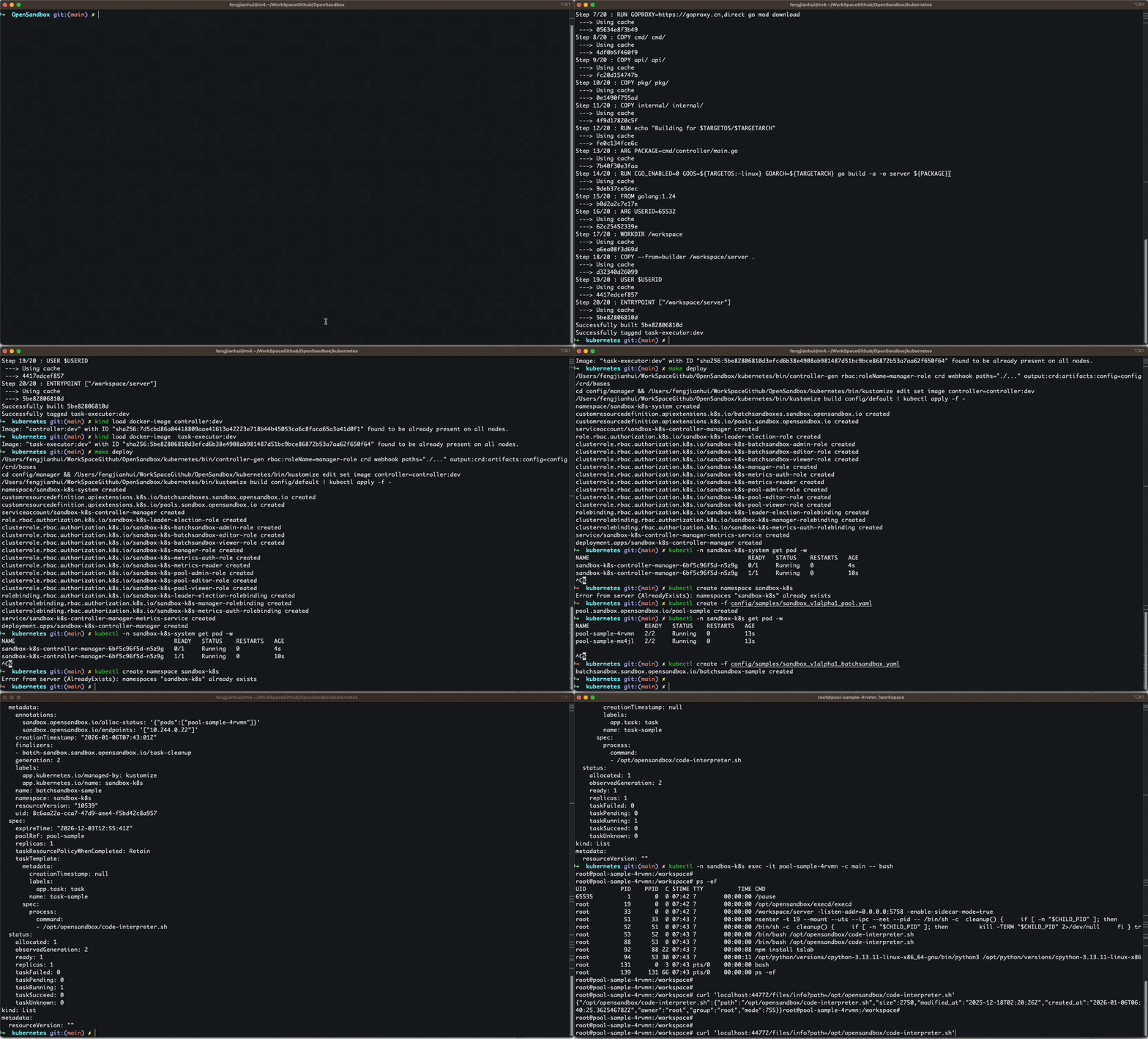
Prerequisites
- go version v1.24.0+
- docker version 17.03+
- kubectl version v1.11.3+
- Access to a Kubernetes v1.21.1+ cluster
If you don't have access to a Kubernetes cluster, you can use kind to create a local Kubernetes cluster for testing purposes. Kind runs Kubernetes nodes in Docker containers, making it easy to set up a local development environment.
To install kind:
- Download the release binary for your OS from the releases page and move it into your
$PATH - Or use a package manager:
- macOS (Homebrew):
brew install kind - Windows (winget):
winget install Kubernetes.kind
- macOS (Homebrew):
After installing kind, create a cluster with:
kind create clusterThis command creates a single-node cluster by default. To interact with it, use kubectl with the generated kubeconfig.
Important Note for Kind Users: If you're using a kind cluster, you need to load the controller and task-executor images into the kind node after building them with make docker-build. This is because kind runs Kubernetes nodes in Docker containers and cannot directly access images from your local Docker daemon.
Load the images into the kind cluster with:
kind load docker-image <controller-image-name>:<tag>
kind load docker-image <task-executor-image-name>:<tag>
For example, if you built your images with make docker-build CONTROLLER_IMG=my-controller:latest, you would load them with:
kind load docker-image my-controller:latestDelete the cluster when you're done with:
kind delete clusterFor more detailed instructions on using kind, please refer to the official kind documentation.
Deployment
This project requires two separate images - one for the controller and another for the task-executor component.
Option 1: Deploy with Helm (Recommended)
Install from GitHub Release:
You can install OpenSandbox Controller directly from GitHub Releases. Check the Releases page for all available versions.
# Replace <version> with the desired version (e.g., 0.1.0)
helm install opensandbox-controller \
  https://github.com/alibaba/OpenSandbox/releases/download/helm/opensandbox-controller/<version>/opensandbox-controller-<version>.tgz \
  --namespace opensandbox-system \
  --create-namespace
Example with specific version:
helm install opensandbox-controller \
  https://github.com/alibaba/OpenSandbox/releases/download/helm/opensandbox-controller/0.1.0/opensandbox-controller-0.1.0.tgz \
  --namespace opensandbox-system \
  --create-namespace
You can also download the chart first and then install:
# Download the chart
wget https://github.com/alibaba/OpenSandbox/releases/download/helm/opensandbox-controller/<version>/opensandbox-controller-<version>.tgz

# Install from local file
helm install opensandbox-controller ./opensandbox-controller-<version>.tgz \
  --namespace opensandbox-system \
  --create-namespace
Customize Installation:
Use --set flags to customize the configuration:
# Example: Custom resource limits
helm install opensandbox-controller \
  https://github.com/alibaba/OpenSandbox/releases/download/helm/opensandbox-controller/0.1.0/opensandbox-controller-0.1.0.tgz \
  --namespace opensandbox-system \
  --create-namespace \
  --set controller.replicaCount=2 \
  --set controller.resources.limits.cpu=1000m \
  --set controller.resources.limits.memory=512Mi

# Example: Custom log level
helm install opensandbox-controller \
  https://github.com/alibaba/OpenSandbox/releases/download/helm/opensandbox-controller/0.1.0/opensandbox-controller-0.1.0.tgz \
  --namespace opensandbox-system \
  --create-namespace \
  --set controller.logLevel=debug
Or use a values file for complex configurations:
# Create a custom values file
cat > custom-values.yaml <<EOF
controller:
  replicaCount: 2
  resources:
    limits:
      cpu: 1000m
      memory: 512Mi
    requests:
      cpu: 100m
      memory: 128Mi
  logLevel: debug
EOF

# Install with custom values
helm install opensandbox-controller \
  https://github.com/alibaba/OpenSandbox/releases/download/helm/opensandbox-controller/0.1.0/opensandbox-controller-0.1.0.tgz \
  --namespace opensandbox-system \
  --create-namespace \
  -f custom-values.yaml
Install from source (for development):
If you're developing or need to customize the chart:
Build and push your images:
sh# Build and push the controller image make docker-build docker-push CONTROLLER_IMG=<some-registry>/opensandbox-controller:tag # Build and push the task-executor image make docker-build-task-executor docker-push-task-executor TASK_EXECUTOR_IMG=<some-registry>/opensandbox-task-executor:tagInstall with Helm:
shhelm install opensandbox-controller ./charts/opensandbox-controller \ --set controller.image.repository=<some-registry>/opensandbox-controller \ --set controller.image.tag=<tag> \ --namespace opensandbox-system \ --create-namespace
Verify Installation:
Check the controller is running:
kubectl get pods -n opensandbox-system
kubectl get deployment -n opensandbox-system

# Check logs
kubectl logs -n opensandbox-system -l control-plane=controller-manager -f
Upgrade:
# Upgrade to a new version
helm upgrade opensandbox-controller \
  https://github.com/alibaba/OpenSandbox/releases/download/helm/opensandbox-controller/<new-version>/opensandbox-controller-<new-version>.tgz \
  --namespace opensandbox-system
Uninstall:
helm uninstall opensandbox-controller -n opensandbox-systemFor more configuration options and advanced usage, see the Helm Chart README.
Option 2: Deploy with Kustomize
Build and push your images:
sh# Build and push the controller image make docker-build docker-push CONTROLLER_IMG=<some-registry>/opensandbox-controller:tag # Build and push the task-executor image make docker-build-task-executor docker-push-task-executor TASK_EXECUTOR_IMG=<some-registry>/opensandbox-task-executor:tagNOTE: These images ought to be published in the personal registry you specified. And it is required to have access to pull the images from the working environment. Make sure you have the proper permission to the registry if the above commands don't work.
Install the CRDs into the cluster:
shmake installDeploy the Manager to the cluster:
shmake deploy CONTROLLER_IMG=<some-registry>/opensandbox-controller:tagNOTE:
make deployonly rewrites the controller image. Build and publishTASK_EXECUTOR_IMGseparately if your Pool / BatchSandbox templates refer to it. You may also need cluster-admin privileges before running the commands.
Important Note for Kind Users: If you're using a kind cluster, you need to load both images into the kind node after building them:
kind load docker-image <controller-image-name>:<tag>
kind load docker-image <task-executor-image-name>:<tag>
Creating BatchSandbox and Pool Resources
Basic Example
Create a simple non-pooled sandbox without task scheduling:
apiVersion: sandbox.opensandbox.io/v1alpha1
kind: BatchSandbox
metadata:
  name: basic-batch-sandbox
spec:
  replicas: 2
  template:
    spec:
      containers:
      - name: sandbox-container
        image: nginx:latest
        ports:
        - containerPort: 80
Apply the batch sandbox configuration:
kubectl apply -f basic-batch-sandbox.yamlCheck the status of your batch sandbox:
kubectl get batchsandbox basic-batch-sandbox -o wideExample output:
NAME                   DESIRED   TOTAL   ALLOCATED   READY   EXPIRE   AGE
basic-batch-sandbox    2         2       2           2       <none>   5m
Status field explanations:
- DESIRED: The number of sandboxes requested
- TOTAL: The total number of sandboxes created
- ALLOCATED: The number of sandboxes successfully allocated
- READY: The number of sandboxes ready for use
- EXPIRE: Expiration time (empty if not set)
- AGE: Time since the resource was created
After the sandboxes are ready, you can find the endpoint information in the annotations:
kubectl get batchsandbox basic-batch-sandbox -o jsonpath='{.metadata.annotations.sandbox\.opensandbox\.io/endpoints}'This will show the IP addresses of the delivered sandboxes.
Advanced Examples
Pooled Sandbox Without Task
First, create a resource pool:
apiVersion: sandbox.opensandbox.io/v1alpha1
kind: Pool
metadata:
  name: example-pool
spec:
  template:
    spec:
      containers:
      - name: sandbox-container
        image: nginx:latest
        ports:
        - containerPort: 80
  capacitySpec:
    bufferMax: 10
    bufferMin: 2
    poolMax: 20
    poolMin: 5
Apply the pool configuration:
kubectl apply -f pool-example.yamlOptional: Configure scale rate control - Add scaleStrategy to limit the pace of scaling:
  scaleStrategy:
    maxUnavailable: "20%"  # or absolute number like 5
This controls how many pods can be unavailable during scaling. For example, with poolMax=50 and maxUnavailable=20%, at most 10 pods will be scaled at once.
Create a batch of sandboxes using the pool:
apiVersion: sandbox.opensandbox.io/v1alpha1
kind: BatchSandbox
metadata:
  name: pooled-batch-sandbox
spec:
  replicas: 3
  poolRef: example-pool
Apply the batch sandbox configuration:
kubectl apply -f pooled-batch-sandbox.yamlPooled Sandbox with Scale Rate Control
The Pool supports configurable scale rate control through scaleStrategy, which limits the pace of scaling operations to prevent resource contention:
apiVersion: sandbox.opensandbox.io/v1alpha1
kind: Pool
metadata:
  name: scale-controlled-pool
spec:
  template:
    spec:
      containers:
      - name: sandbox-container
        image: nginx:latest
        ports:
        - containerPort: 80
  capacitySpec:
    bufferMax: 20
    bufferMin: 5
    poolMax: 50
    poolMin: 10
  scaleStrategy:
    # MaxUnavailable controls the maximum number of pods that can be unavailable during scaling.
    # Can be an absolute number (ex: 5) or a percentage of desired pods (ex: "10%").
    # Defaults to 25% if not specified.
    maxUnavailable: "20%"
ScaleStrategy parameters:
- maxUnavailable: Specifies the maximum number of pods that can be unavailable during scaling operations. This can be:
- An absolute number (e.g.,
5means at most 5 pods can be unavailable at once) - A percentage string (e.g.,
"10%"means at most 10% of desired pods can be unavailable) - Defaults to
25%if not specified
- An absolute number (e.g.,
Use cases:
- Prevent resource contention: Limit scaling pace to avoid overwhelming the cluster with simultaneous pod creation/deletion
- Gradual scaling: Ensure smooth scaling transitions by capping the rate of change
- Production stability: Protect production workloads from aggressive scaling that might impact service quality
Apply the pool configuration:
kubectl apply -f pool-with-scale-strategy.yamlPooled Sandbox With Heterogeneous Tasks
Create a batch of sandboxes with process-based heterogeneous tasks. For task execution to work properly, the task-executor must be deployed as a sidecar container in the pool template and share the process namespace with the sandbox container:
First, create a resource pool with the task-executor sidecar:
apiVersion: sandbox.opensandbox.io/v1alpha1
kind: Pool
metadata:
  name: task-example-pool
spec:
  template:
    spec:
      shareProcessNamespace: true
      containers:
      - name: sandbox-container
        image: ubuntu:latest
        command: ["sleep", "3600"]
      - name: task-executor
        image: <task-executor-image>:<tag>
        securityContext:
          capabilities:
            add: ["SYS_PTRACE"]
  capacitySpec:
    bufferMax: 10
    bufferMin: 2
    poolMax: 20
    poolMin: 5
Create a batch of sandboxes with process-based heterogeneous tasks using the pool we just created:
apiVersion: sandbox.opensandbox.io/v1alpha1
kind: BatchSandbox
metadata:
  name: task-batch-sandbox
spec:
  replicas: 2
  poolRef: task-example-pool
  taskTemplate:
    spec:
      process:
        command: ["echo", "Default task"]
  shardTaskPatches:
  - spec:
      process:
        command: ["echo", "Custom task for sandbox 1"]
  - spec:
      process:
        command: ["echo", "Custom task for sandbox 2"]
        args: ["with", "additional", "arguments"]
Apply the batch sandbox configuration:
kubectl apply -f task-batch-sandbox.yamlCheck the status of your batch sandbox with tasks:
kubectl get batchsandbox task-batch-sandbox -o wideExample output:
NAME                   DESIRED   TOTAL   ALLOCATED   READY   TASK_RUNNING   TASK_SUCCEED   TASK_FAILED   TASK_UNKNOWN   EXPIRE   AGE
task-batch-sandbox     2         2       2           2       0              2              0             0              <none>   5m
Task status field explanations:
- TASK_RUNNING: The number of tasks currently executing
- TASK_SUCCEED: The number of tasks that have completed successfully
- TASK_FAILED: The number of tasks that have failed
- TASK_UNKNOWN: The number of tasks with unknown status
When you delete a BatchSandbox with running tasks, the controller will first stop all tasks before deleting the BatchSandbox resource. Once all tasks are successfully terminated, the BatchSandbox will be completely removed, and the sandboxes will be returned to the pool for reuse.
To delete the BatchSandbox:
kubectl delete batchsandbox task-batch-sandboxYou can monitor the deletion process by watching the BatchSandbox status:
kubectl get batchsandbox task-batch-sandbox -wMonitoring Resources
Check the status of your pools and batch sandboxes:
# View pool status
kubectl get pools

# View batch sandbox status
kubectl get batchsandboxes

# Get detailed information about a specific resource
kubectl describe pool example-pool
kubectl describe batchsandbox example-batch-sandbox
Project Structure
├── api/
│   └── v1alpha1/          # Custom resource definitions (BatchSandbox, Pool)
├── cmd/
│   ├── controller/         # Main controller manager entry point
│   └── task-executor/     # Task executor binary
├── config/
│   ├── crd/               # Custom resource definitions manifests
│   ├── default/           # Default configuration for controller deployment
│   ├── manager/           # Controller manager configuration
│   ├── rbac/              # Role-based access control manifests
│   └── samples/           # Sample YAML manifests for resources
├── hack/                  # Development scripts and tools
├── images/                # Documentation images
├── internal/
│   ├── controller/        # Core controller implementations
│   ├── scheduler/         # Resource allocation and scheduling logic
│   ├── task-executor/     # Task execution engine internals
│   └── utils/             # Utility functions and helpers
├── pkg/
│   └── task-executor/     # Shared task executor packages
└── test/                  # Test suites and utilities
Contributing
We welcome contributions to the OpenSandbox Kubernetes Controller project. Please feel free to submit issues, feature requests, and pull requests.
NOTE: Run make help for more information on all potential make targets
More information can be found via the Kubebuilder Documentation
License
This project is open source under the Apache 2.0 License.
You can use OpenSandbox for personal or commercial projects in compliance with the license terms.
This page is sourced from:
kubernetes/README.md